PingKit vs Nmap
Not a fair fight in either direction, honestly. Nmap is a decades-old, immensely powerful command-line scanner with no official iPhone app. PingKit's Port Scanner is an iOS-native tap-to-scan tool with a fraction of Nmap's depth. Here's when each one is actually right.
Nmap ("Network Mapper") is free, open-source software for Linux, Mac, and Windows that can scan ports, fingerprint operating systems, and run custom scripts against a target - the standard tool security professionals reach for. It has no official app on iOS; the only Nmap-branded listings on the App Store are third-party guide apps that teach Nmap commands, not scanners that run them. PingKit's Port Scanner runs natively on iPhone within what Apple's sandbox permits - checking whether specific ports on a host are open, in a tap. We make PingKit, so weigh that accordingly.
What Each One Actually Is
| Capability | PingKit (Port Scanner) | Nmap |
|---|---|---|
| Platform | Native iPhone/iPad app | Command-line, Linux/Mac/Windows only |
| Official iOS app | Yes | None - App Store only has third-party guide apps |
| Basic port open/closed checks | Yes, tap to run | Yes, far more scan types |
| OS fingerprinting | Not offered | Yes, deep and configurable |
| Scripting engine (NSE) | Not offered | Yes |
| Raw socket / SYN scan techniques | Not permitted on iOS | Yes, on supported platforms |
| Setup | Download, tap, done | Install, learn command syntax |
| Cost | Free | Free, open source |
| Other network tools bundled | 18 more - WiFi analyzer, DNS, uptime, and more | Not offered - scanning focus |
Where Nmap Wins
For serious network auditing - OS fingerprinting, service version detection, custom NSE scripts, SYN/UDP scans with fine-tuned timing - Nmap remains the standard, and nothing on iOS comes close, PingKit included. That's not a PingKit shortcoming specifically; it's a platform one. iOS's App Store sandbox doesn't permit the raw socket access several of Nmap's scan types depend on, so no App Store app, from any developer, can replicate that depth.
Where PingKit Wins
Most people asking "is this port open" don't need OS fingerprinting - they need a fast answer from the phone already in their pocket, without SSHing into a laptop first. Port Scanner does that natively on iOS, paired with LAN Scanner to see every device on the network at once, no terminal required.
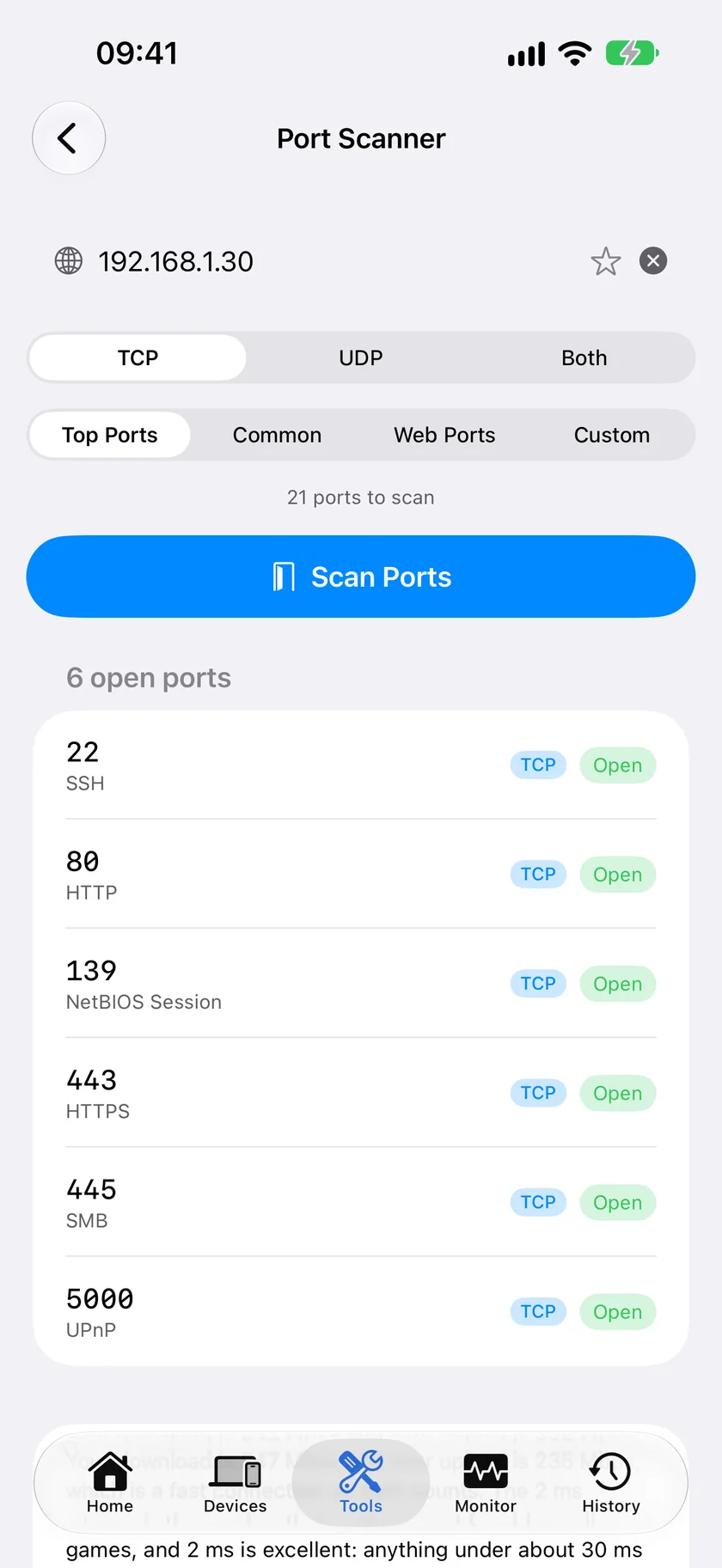
The honest recommendation: if you're doing formal security auditing, use Nmap from a laptop - nothing on iOS replaces it. For a quick "is this port open" check away from your desk, PingKit's Port Scanner covers the common case in a tap. Many people end up using both, for different moments.
Which Should You Choose?
- Formal security audit, OS fingerprinting, scripting: Nmap, from a computer. No iOS app matches this.
- Quick port check from your phone, no terminal: PingKit's Port Scanner.
- Want both, for different moments: Common and reasonable.
- Want the rest of a network toolkit regardless: Download PingKit free - 19 tools, Port Scanner is one of them.
More Comparisons
- PingKit vs Wireshark
- PingKit vs LanScan
- PingKit vs Scany
- PingKit vs Fing
- Nmap for iPhone (2026): What Actually Runs on iOS
- nmap on a Mac (2026): Install It, and When Not to Bother
- Every PingKit comparison
Need more than a port map of your Linux fleet?
Noxen is our sister Mac app. It audits Linux and VPS hosts over SSH each night: installed packages against a signed daily CVE feed, sshd config, TLS, security headers, and exposed admin surfaces, alongside a focused scan of the 40 ports homelab services actually run on. Native on the Mac, no Docker stack, no feed sync to wait on. PingKit maps the ports in front of you; Noxen audits the fleet you administer.
Noxen compared with OpenVAS →